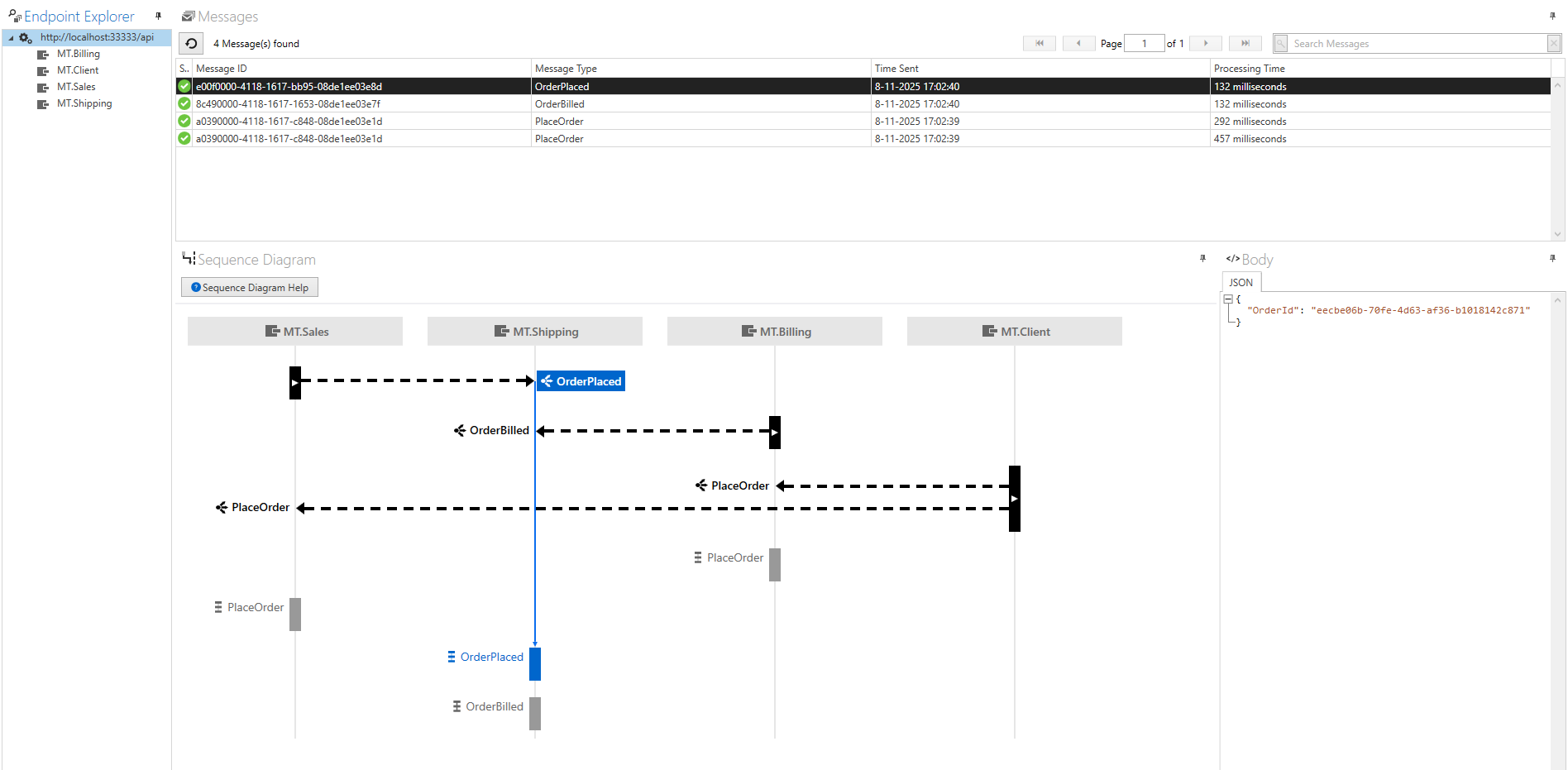
Now we can ingest deadletter messages which are created from a MassTransit endpoint with MassTransit Connector for ServiceControl • ServiceControl • Particular Docs it would also be very nice that we can ingest messages from a specific queue and transform them to a format which ServiceControl can ingest and show them with Service Insight.
I’m not completely sure, but it should be possible to rearrange a message to a format which ServiceControl can ingest.
Therefore I will give it a try and will hopefully I can manage to build something we can use.
Hey @JSCProjects, not really sure what you’re even asking for here? Isn’t what you describe in the original post exactly what the MassTransit connector does?
And also, stop using ServiceInsight, those tools are all in a web-based format in ServicePulse 2.0 now!
I know we can follow failed messages in ServicePulse, but I want also see the flow on not failed messages. I’m pretty sure that the MassTransit Connector doesn’t sent messages which need to be audited.
The current status of my POC is that I sent messages which are consumed by MassTransit to a audit queue, when then in place is read by ServiceControl. In the above images you can see that ServiceControl can read them and made a sort of sequence diagram, but this isn’t the same as the NServiceBus handled messages. Therefore I would like to have some information about which headers I need to set to get a correct sequence diagram.